
Create an Account in Kredin
Create an Account
Go to Kredin.no
(Click the link – it opens in a new tab so you can follow this guide step by step while creating your user account.)
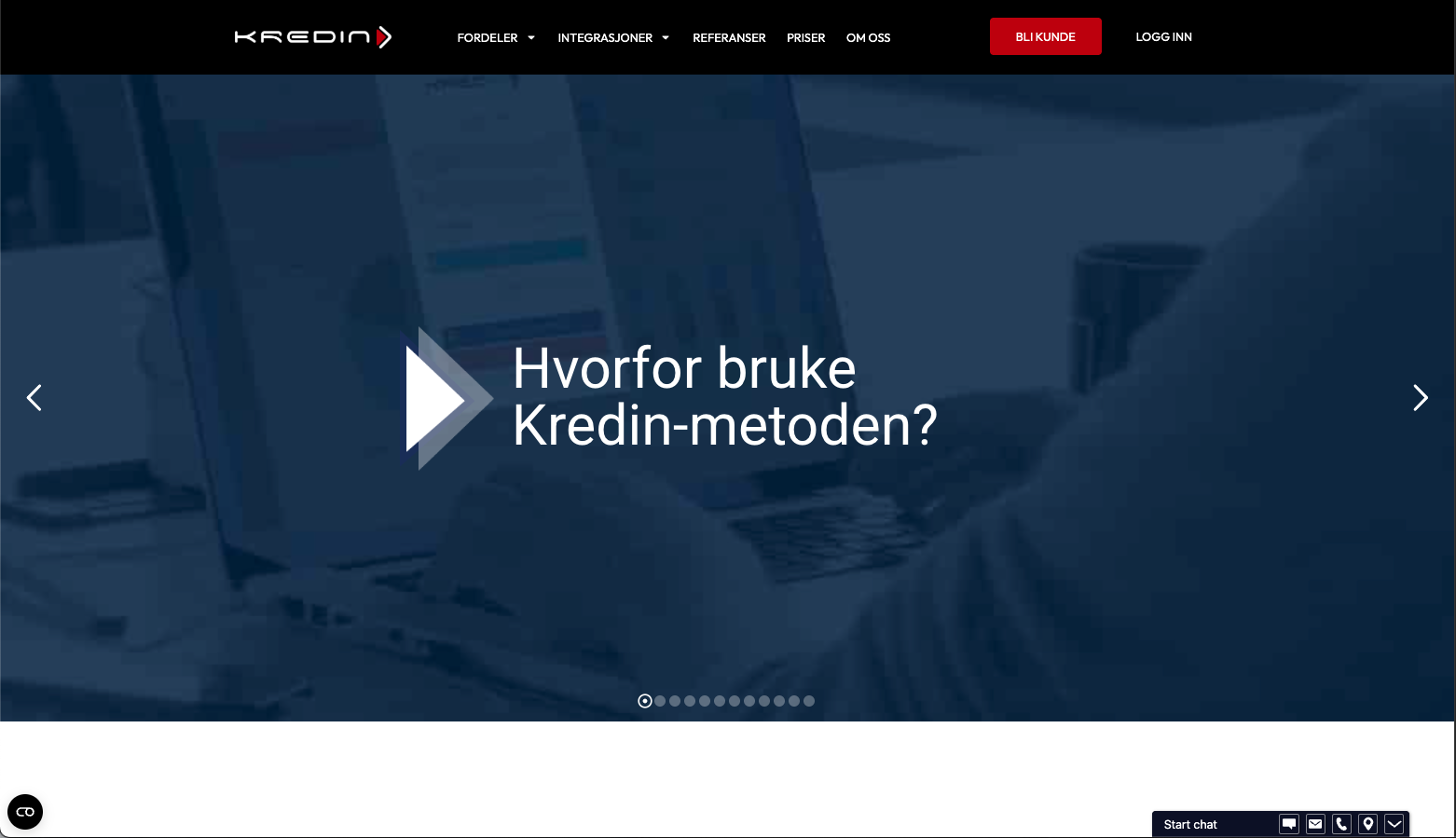
1. Select “Bli kunde” (Become a customer)
At the top of the website, you’ll find the button “Bli kunde”.
Click here to begin the registration process.
2. Create a New User
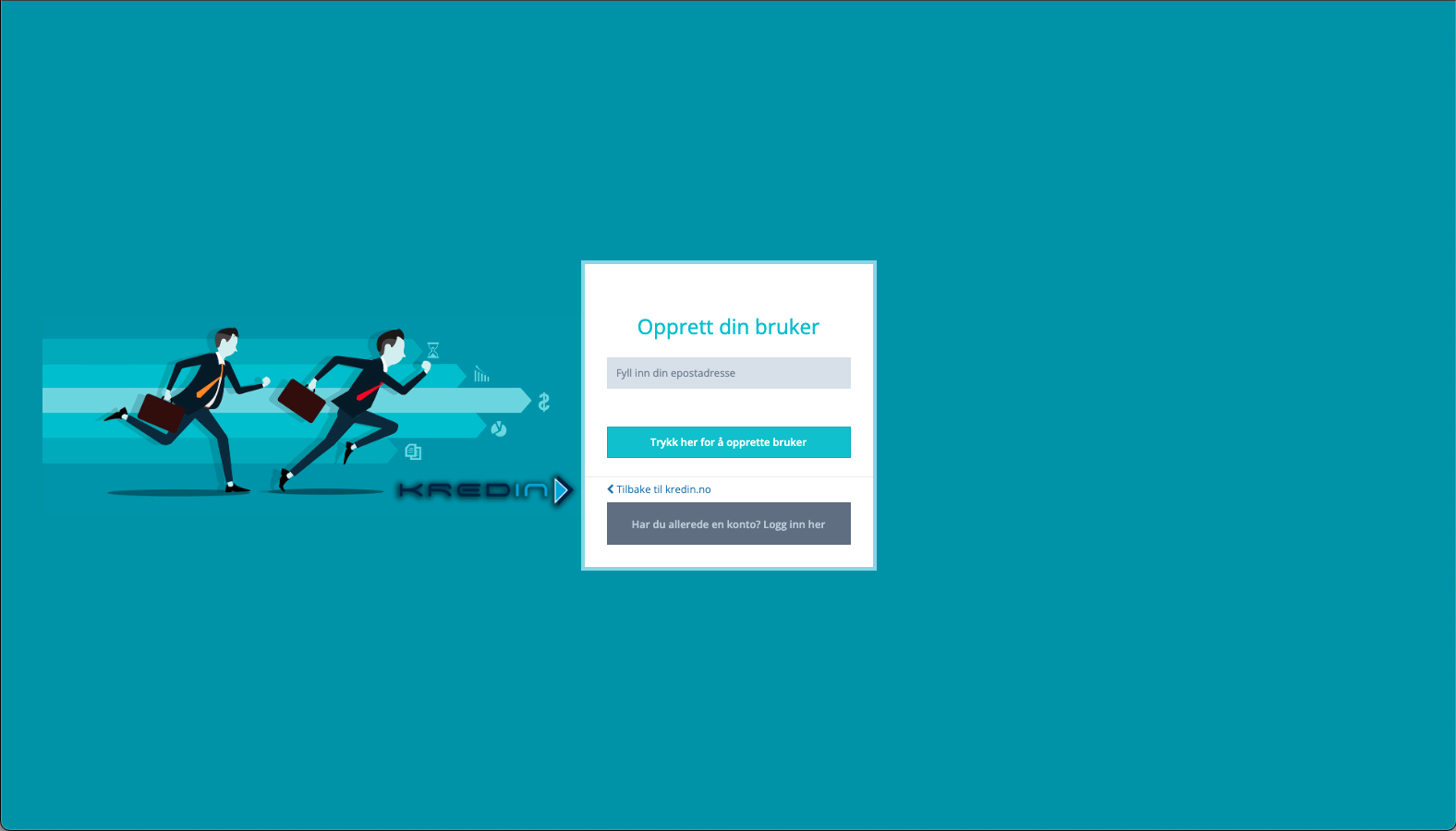
Enter your email address and click Create user.
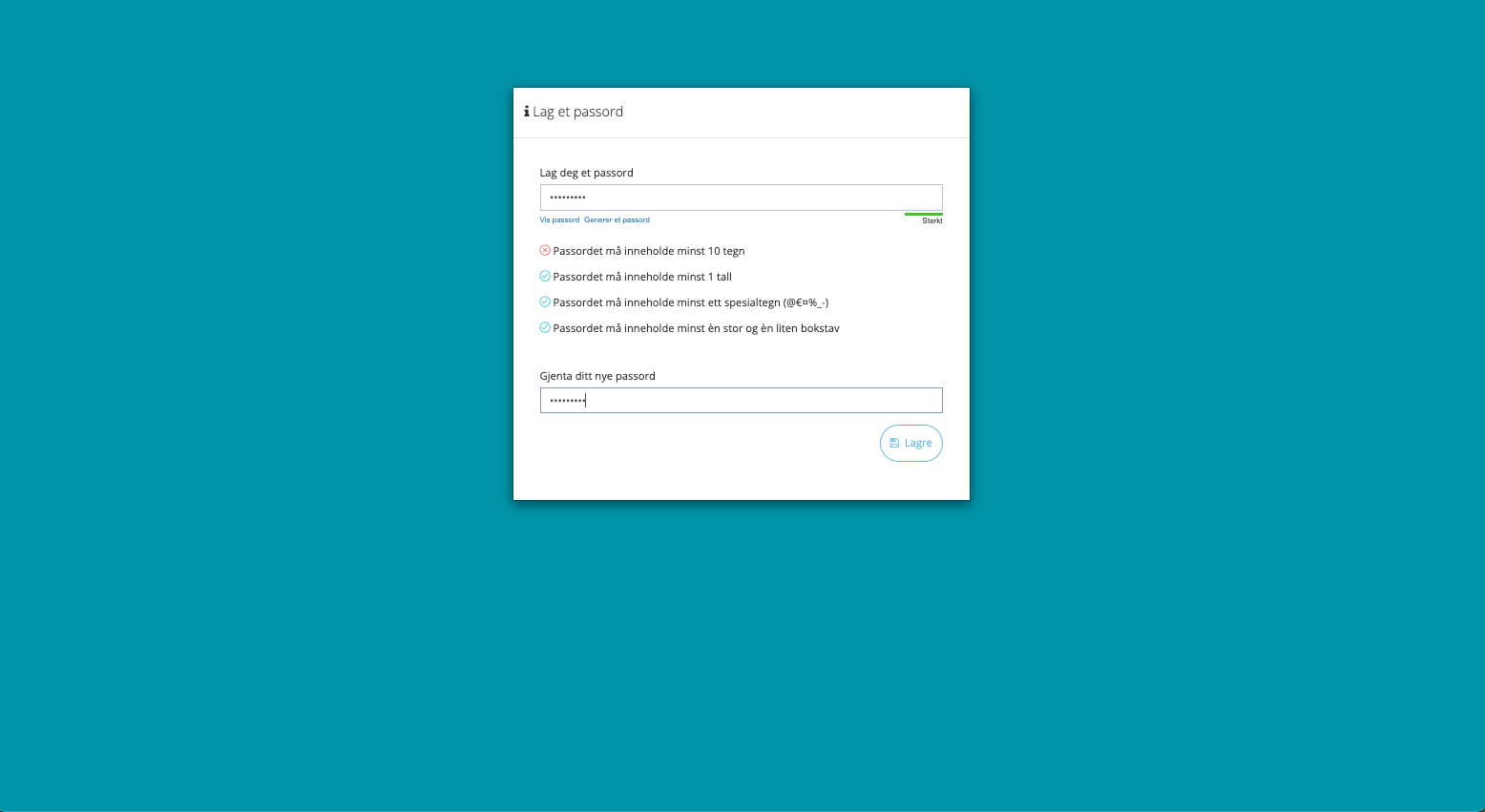
3. Create your desired password
4. Enter your company details
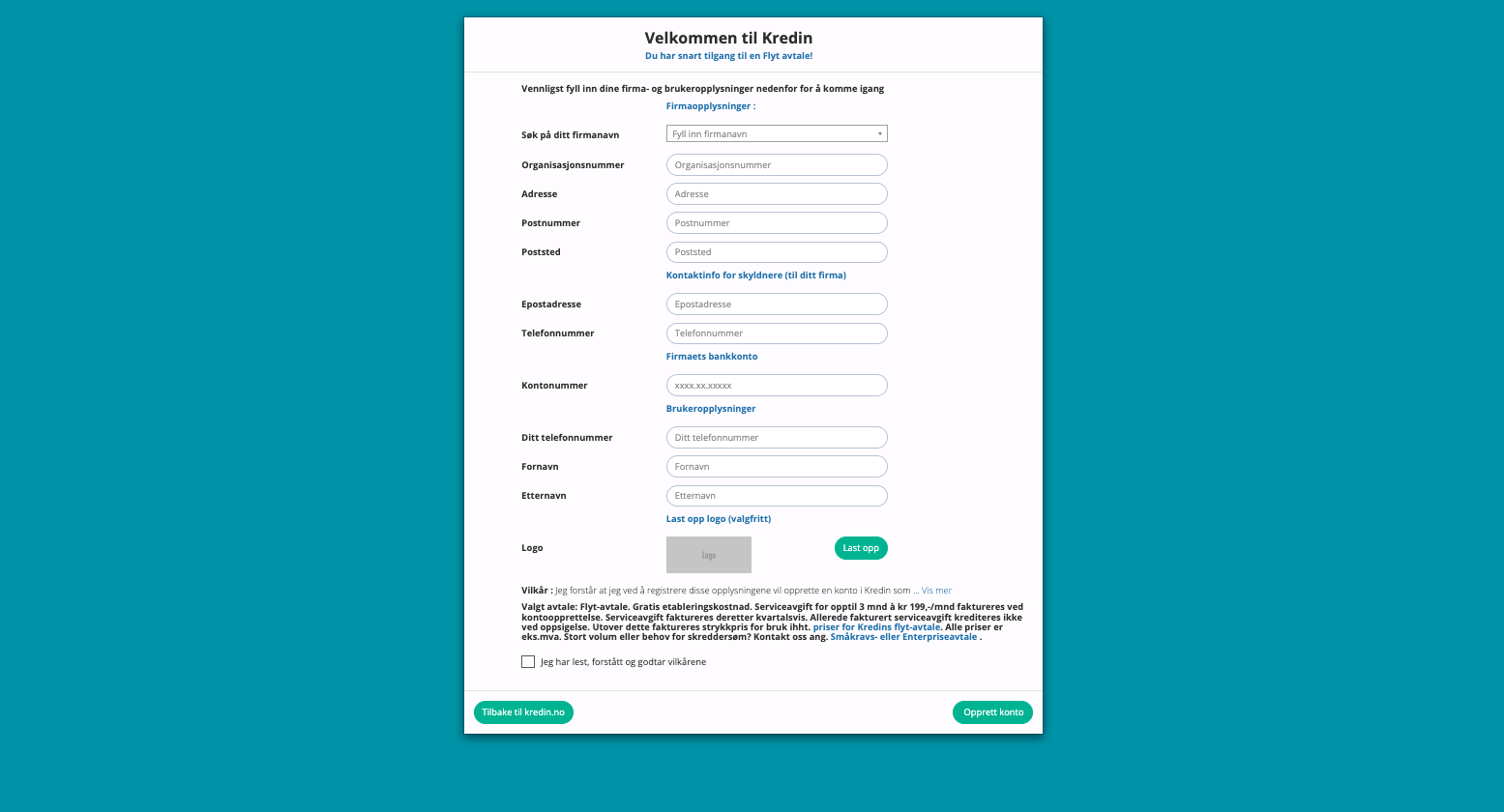
When you create an account in Kredin, you provide basic information about your company.
This information is used to send claims with the correct sender and payment information — ensuring the debtor continues to pay you directly.
| Field | Description |
|---|---|
| Search for your company name | Start typing your company name to automatically retrieve organization data. |
| Organization number | Retrieved automatically via search or entered manually. |
| Address / Postal code / City | Your company’s official business address. Used as the sender on all communications. |
| Email address | Shown as the contact email for the debtor in all communications |
| Phone number | Phone number for debtor inquiries. |
| Bank account number | Must match the account number on the original invoice. The debtor pays you directly — not Kredin. |
| Logo (optional) | You can upload your company logo here. It will appear on all communications (letters and emails) for a professional look. |
Now that your account is ready, you can choose whether you want to set up an integration or use the system manually.
👉 How to set up an integration
👉 How to create cases manually
👉 How to create cases using autopilot settings
Already a user and want to add more companies?
If you already have a Kredin account but want to link additional companies or organization numbers, you can do this directly in the system after logging in.
👉 See how to add more companies here:
Free Integrations
Click the link to access step‑by‑step instructions on how to set up an integration:
Trykk på linken for å få steg for steg hvordan du setter opp integrasjon:
- Tripletex
- Tripletex ( for regnskapsførere)
- Fiken
- PowerOffice
- 24SevenOffice
- 24SevenOffice Multicase
- Visma NXT
- Visma.NET
- Visma eAccounting
- Uni Micro (skybasert)
- Uni Micro /V3 (serverbasert)
- DNB Regnskap
- SpareBank 1 Regnskap
- Visma Business (VBOnline)
- Azets Connect
Even if you use the system without an integration, you can still have the system retrieve payments via OCR files:
👉 Read how here:
💬 Would you like to speak with one of our advisors?
Book a completely non‑binding meeting here: kredin.no/samtale